
Python: A Django project with MSSQL database
Django is a python framework to build websites and has been popular among python programmers. If you are looking for a comprehensive framework to build websites, Django is a great tool. However, if you feel Django is kind of an overkill for your project or you don’t like the way Django sets up the project, you could instead try Flask. This sample project was created originally as a tutorial to showcase some of Django’s APIs and introduce some of the packages we use in one of our projects. Specifically, if you need to connect to a MSSQL database using Django, you could try if the setup in this sample project works for you. I will not go into the details of the implementation, so I assume some familiarity of python and Django. I created a series of step-by-step tutorial videos for Django and some of the code was ported to this project as well. If you are interested, here is the link (Audio only in Mandarin).
Project Layout
-- djangoproject/ (the root folder)
   |-- deploy/          (docker container settings)
   |-- django_tutorial/
       |-- settings.py  (project settings)
       |-- urls.py      (endpoints)
   |-- requirements/    (list of dependencies to install)
   |-- sqlserver/       (contains the bulk of the source code)
Check out the installation guide to building and running the project. The project uses enviroment variables to manage information such as the connection strings, username and password and most of them will have a definition in one of settings files django_tutorial/settings.py. Also, to develop the project locally, you could set up a docker container to host a sample MSSQL server. The setup guild for the docker containers are here.
Settings
In the settings file, we defined two database settings, one default and one mssql_db. We generally have only one database in a simple project, but this shows you could define multiple database resources in your project. The default db will be hosted in PostgreSQL. Therefore, to run the sample project as is, you should have the corresponding database servers set up.
DATABASES = {
    'default': env.db(
        'DATABASE_URL',
        default='postgres://postgres:postgres@localhost/django_tutorial'),
}

DATABASES['mssql_db'] = { ... }
Also, you’ll need to define a custom router.py in your app. In the sample project, the app name is sqlserver and in the sqlserver/router.py, you can see whenever we are requesting for a model whose app_label is sqlserer, we should refer back to the db settings with mssql_db key.
class SqlServerRouter:
  def db_for_read(self, model, **hints):
    if model._meta.app_label == 'sqlserver':
      return 'mssql_db'
    return None

  def db_for_write(self, model, **hints):
    if model._meta.app_label == 'sqlserver':
      return 'mssql_db'
    return None
Implementation and Conculsion
The smaple project also defines custom manager classes sqlserver/manager.py as the interface for some db operations. This is more of a style thing, you might as well code the same functionality in your views.py instead. Lastly, to test the everything is hooked up, I wrote two simple views (a class view and a function view). In sqlserver/views.py. class EmployeeDetail inherits from TemplateView and will return a template (html file) named employee_detail.html. salary_view is a function view and will return JSONResponse. If you have set up everything correctly, you should see the app running such as below. The style is really bad I know but considering we’ve gone through a whole lot just to get the app to run, you should feel good about it if you are able to get this far.
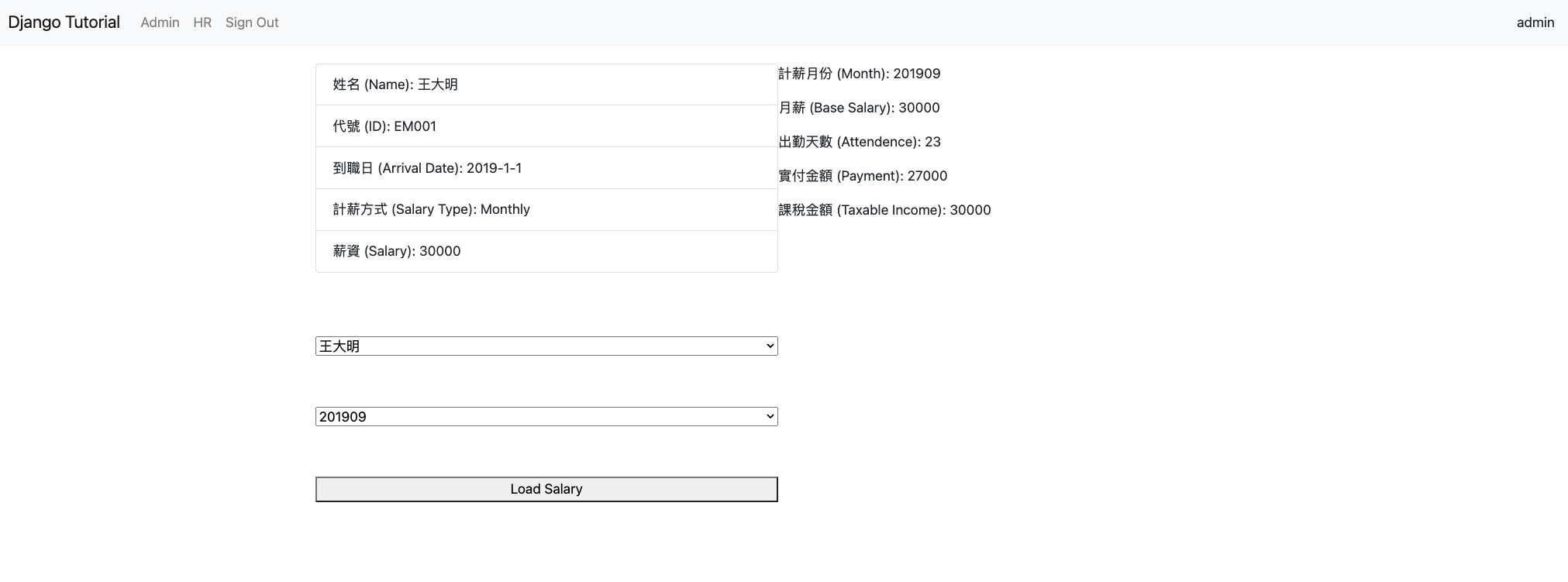
Django is fairly comprehensive tool and if you are building an API web server, you could additionally take a look at Django Rest framework. We use it in one of our production site and has worked great. The framework supports authentication, serialization, custom filters, and have a set of default views for the normal querying, adding, updating, and deleting operations of the db resources.
The source code is located in github